Case study / hackUMBC 2026
[MLH] Best Use of BackboardGuideSense
A vision made real. In 24 hours.
An assistive awareness prototype that turns a camera feed into spatial guidance, spoken context, and memory of the world around you.
- My role
- Implementation & integration
- Built with
- Will Barnes Jr.
- The constraint
- One 24-hour hackathon
- Event
- September 26–27, 2026 · Baltimore, Maryland
- Python
- OpenCV
- MobileNet-SSD
- Backboard.io
- Gemini
- ElevenLabs
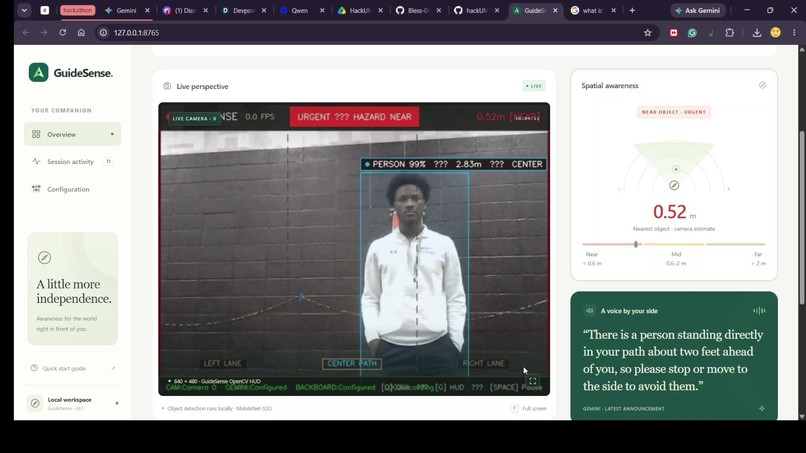
The idea & my contribution
Turning a product vision into a working system.
My partner, Will Barnes Jr., brought the idea and product vision: use an ordinary camera to help people with visual impairments understand nearby obstacles. I led the implementation and integration that brought that vision to life.
We worked through the night at hackUMBC. The goal was to get perception, decision-making, memory, and audio working together in a prototype we could demonstrate within the 24-hour build window.
Implementation & integration
Blessing Abumere
Backboard and voice integration, live-camera setup, dashboard work, automated checks, CI, and final system integration.
Concept & product direction
Will Barnes Jr.
The original vision, camera distance calibration, spatial directional awareness, and visual HUD contributions.
Engineering decisions
Useful guidance starts with knowing when to speak.
A camera can produce a stream of detections. The harder problem is deciding which observation deserves attention, suppressing repeated announcements, and keeping urgent warnings responsive.
On-device perception & guidance
- 1
See
OpenCV + MobileNet-SSD detect objects in camera frames.
- 2
Locate
Camera geometry estimates proximity and spatial direction.
- 3
Prioritize
Persistence, object priority, and hysteresis stabilize the decision.
- 4
Guide
Spoken cues and hazard tones communicate the selected state.
Optional cloud enrichment
Keep the core local.
Object detection and the decision engine run on-device. Cloud features enrich the experience, while local guidance and native text-to-speech provide an offline path.
Separate sensing from speaking.
Worker-based audio and background integrations let perception and state decisions continue while speech is generated or played.
Build for demonstration and inspection.
A local browser dashboard exposes detections, state, and session activity. Automated checks cover integrations, transitions, and the dashboard.
The award-winning integration
Giving observations a memory.
A detection describes the current frame. Backboard made it possible to retain navigation observations and use them as context for later questions.
- Record an observation
- Store it in Backboard
- Retrieve relevant context
A question the memory layer supports
“Did I see any chairs?”
I integrated the memory service with the rest of the pipeline and added integration tests. Observations are recorded locally, synchronized to Backboard in background workers when configured, and used to ground contextual responses. Local session history provides a fallback.
Read the implementationBuilt through the night
One deadline. A sequence of working pieces.
Selected commits trace the implementation from the first fusion module to the final merge. Each milestone links to the change behind it.
September 26–27, 2026 · All times Eastern
The decision core begins.
The first fusion module establishes the bridge between raw detections and useful guidance.
View commitMemory and voice come together.
Backboard integration, audio changes, setup updates, and integration tests enter the system.
View commitThe camera becomes real input.
MobileNet-SSD weights and live-camera support connect the prototype to physical surroundings.
View commitThe dashboard gets tested.
UI tests, server and runtime updates, and documentation make the prototype easier to run and inspect.
View commitThe pieces become a coherent codebase.
The project is organized into core, vision, hardware, services, telemetry, UI, and tests.
View commitThe final integration lands.
The last merge brings the hackathon build together for handoff.
View commit
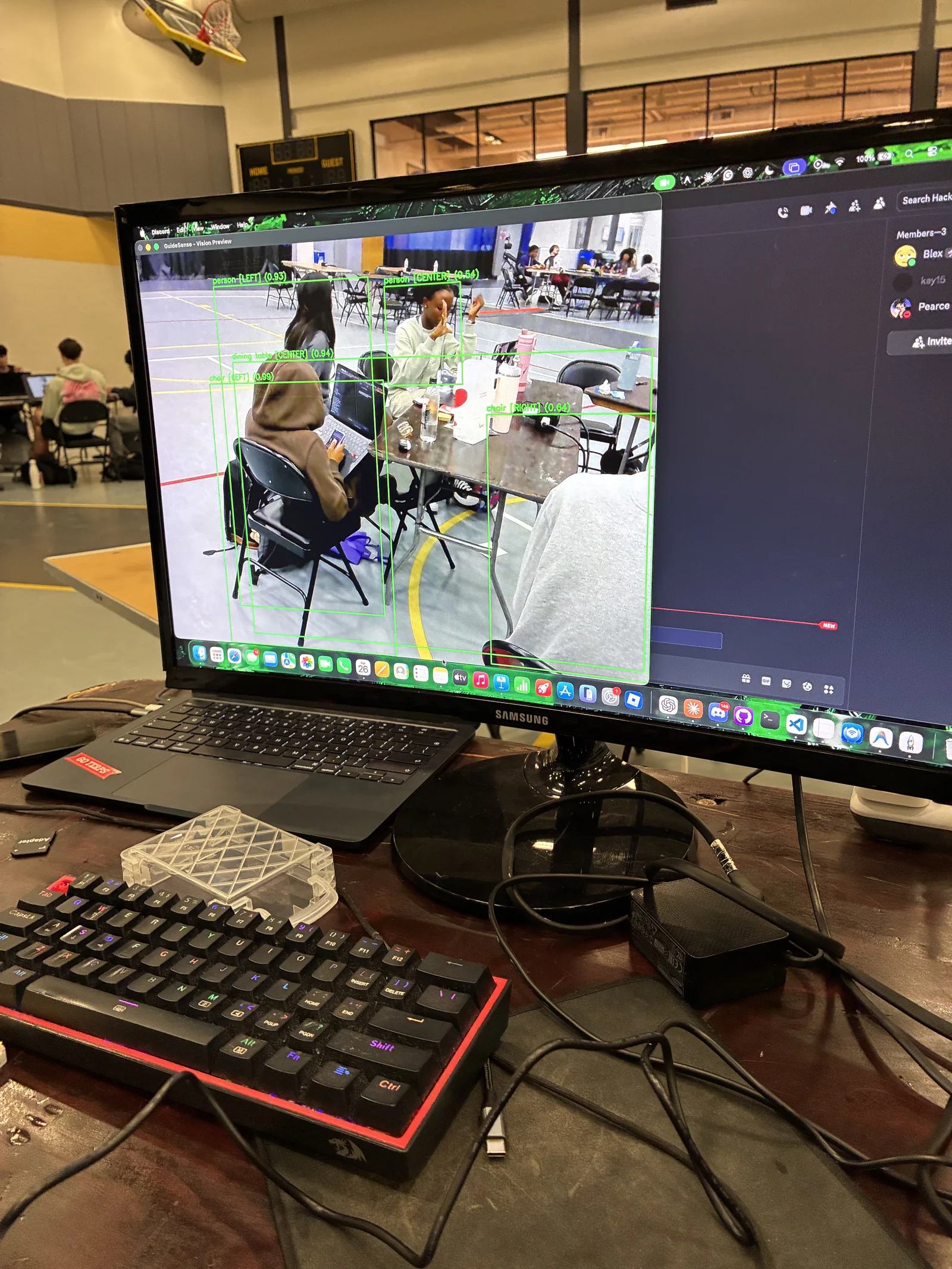
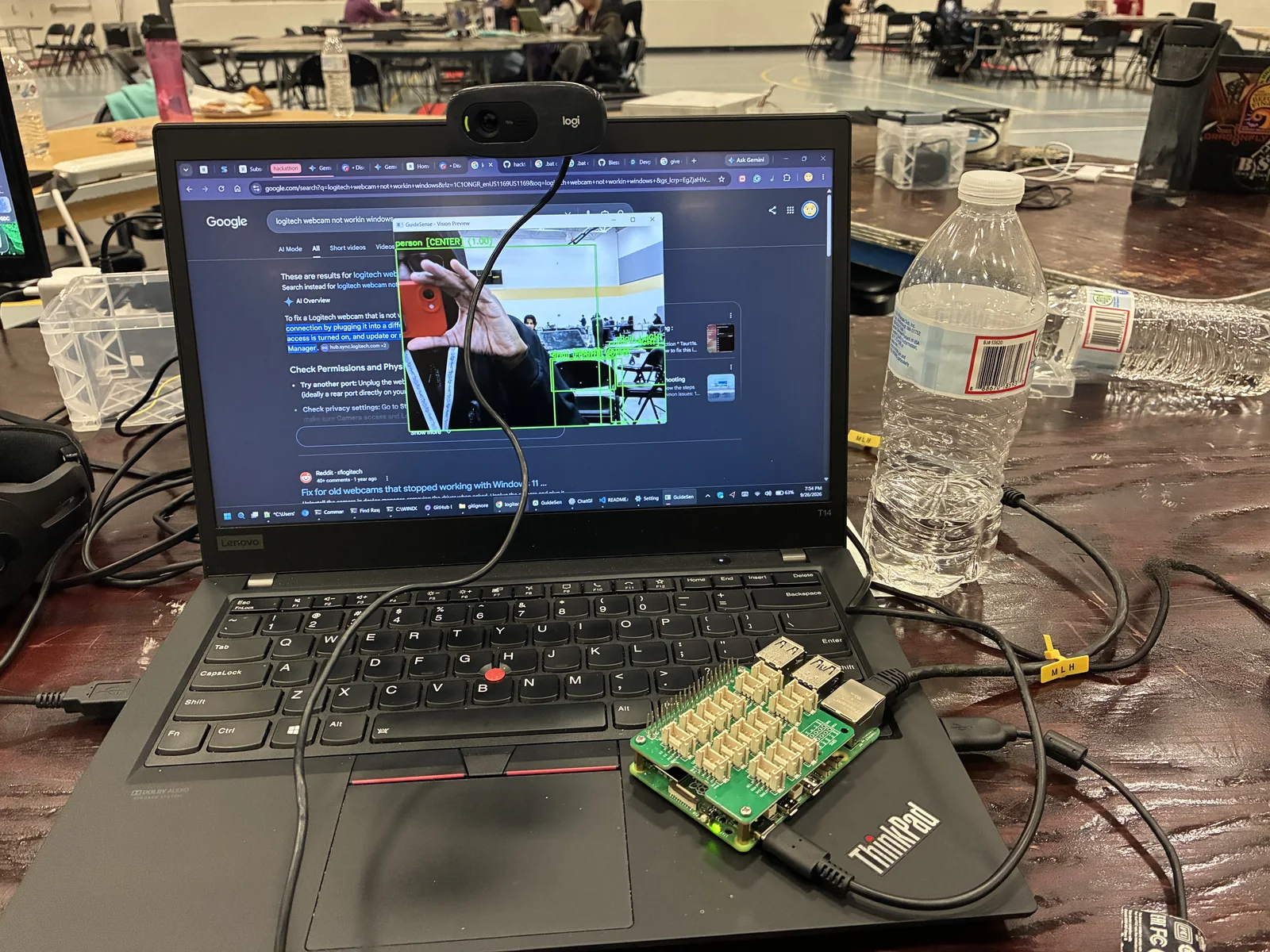
Early MVP, real surroundings.
Photos I took during the earlier stages of our MVP, while we were getting the vision preview working with live camera input.
The prototype in action
See the system respond to its surroundings.
The recorded hackathon demo shows the prototype we built and presented together.
GuideSense @HackUMBC demo videoOutcome & reflection
A working prototype. An award. A clear next step.
GuideSense won [MLH] Best Use of Backboard at hackUMBC 2026. We finished with a live-camera prototype, a local dashboard, optional AI integrations, and an automated test suite.
[MLH] Best Use of Backboard
AI broadened what I thought to test.
One of my favorite parts of the hackathon was using AI to broaden what I thought to test. It helped me look beyond the cases I already had in mind and expand my expectations of what needed validation.
We would make progress and think a portion was done, then test it against data and discover that the result was wrong. Finding those errors early was everything. It gave us the chance to correct our assumptions before moving on.
To keep moving, one of us would investigate the issue while the other detailed the next steps for the next portion. That rhythm of testing, debugging, and planning helped us work toward a minimum viable product within the 24-hour deadline.
What I would develop next
Validate distance estimates across varied lighting and object sizes, evaluate the interaction with intended users, and explore a wearable form factor. The hackathon result is a prototype; real-world deployment would require further evaluation.